


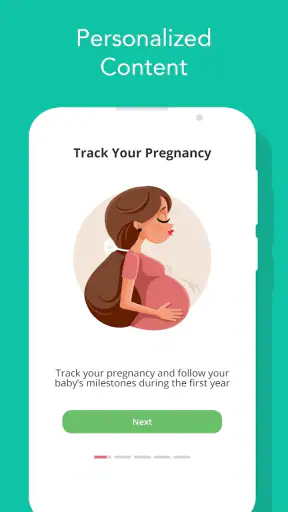
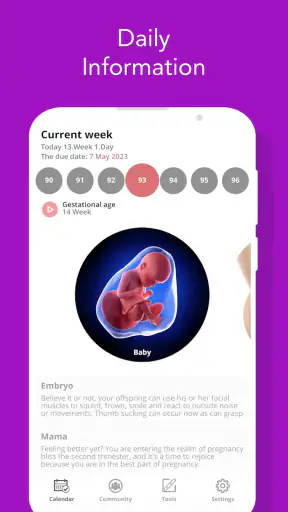
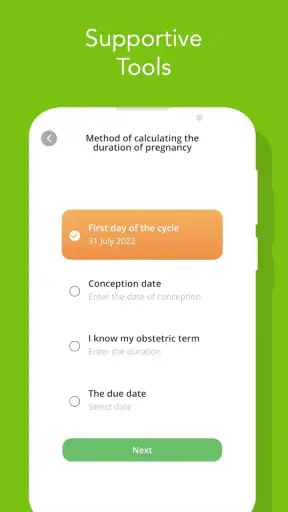
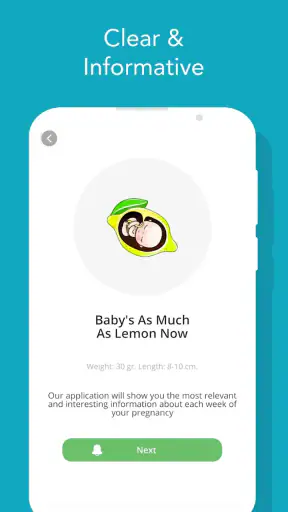
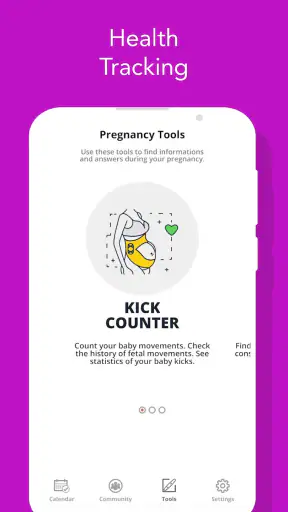
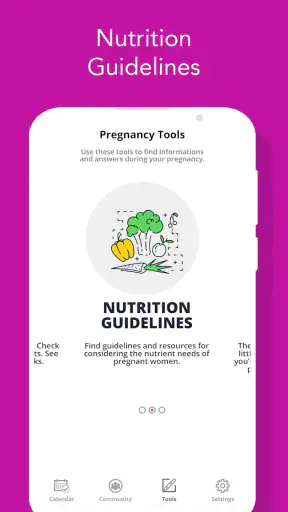
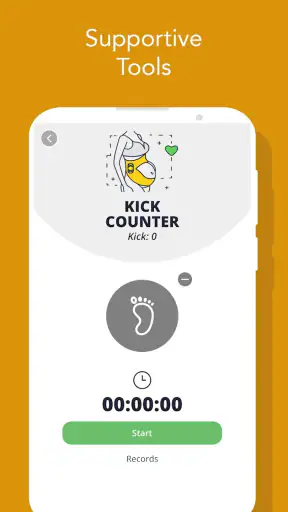
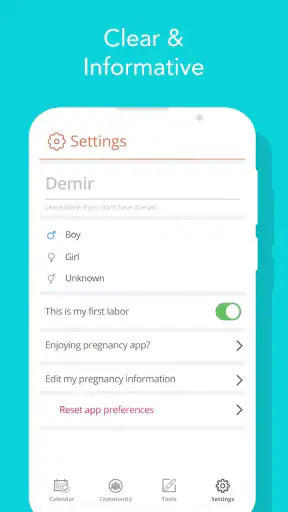
Pregnancy information is easiest to use when it fits into the small gaps of an ordinary day. That is the main reason I found Pregnancy Tracker and Baby useful: it turns a long, changing experience into something I can check in short sessions rather than searching the web every time a question appears. It is a free parenting app from Firehawk, built around week-by-week pregnancy information and baby tracking, with a 4.5 average from around 16 thousand ratings and more than a million installs.
I would describe it as a practical companion rather than a replacement for a midwife, doctor, or prenatal appointment. Its value is in helping me organize curiosity, notice what is relevant to the current stage, and return to information when I have a quiet minute. The experience is most comfortable for someone who wants a simple pregnancy reference on a phone, especially if they prefer a guided timeline to an unstructured collection of articles.
How the week-by-week format works in everyday life
The week-by-week approach gives the app a natural rhythm. Instead of presenting pregnancy as one enormous subject, it encourages me to focus on the stage I am currently passing through. That makes the information easier to absorb, particularly when I am tired or distracted and do not want to compare several sources before finding something relevant.
A realistic use case is checking the app during a lunch break, then returning to it in the evening when a question comes up. I might read the current pregnancy information, make a mental note of something I want to discuss at my next appointment, and close the app without feeling that I need to complete a course. That low-pressure style suits pregnancy better than an app that demands constant logging.
The baby-focused angle also makes it useful for a partner or family member who wants a clearer sense of what is happening. Someone who is not experiencing the physical changes directly may find a week-by-week guide easier to follow than a general medical website. I could use it as a conversation starter, then move any personal or worrying question to a qualified professional.
One of the less obvious strengths of this format is that it helps separate timely information from information that is merely interesting. When every week has its own context, I am less likely to overwhelm myself with details about stages that are far away. My practical tip is to read the current section first, save questions in a separate note if needed, and avoid treating every general statement as a prediction about my own pregnancy.
That distinction matters because pregnancy does not follow one identical script. A useful tracker can explain common patterns, but it cannot account for every medical history, symptom, appointment schedule, or individual outcome. I liked the app more when I treated it as a calm reference point instead of an authority making personal judgments.
Where connectivity changes the experience
The app is designed for phone use, so connectivity naturally affects when it feels most convenient. If I am at home with a stable connection, browsing the week-by-week material is straightforward. The same is true in a clinic waiting room or on public transport when mobile service is reliable. In those moments, the phone becomes a quick doorway into the information rather than a reason to open a laptop.
The less predictable situations are also the ones where a pregnancy app can be most tempting: a basement appointment area, a crowded train, a hospital corridor, or a holiday location with weak service. I would not build my entire information plan around being able to consult it at every moment. For important appointments, I would prepare questions in advance and keep essential medical details available through the channels I already trust.
This is not just a technical inconvenience. Connectivity can change the emotional tone of the experience. When an app responds quickly, I can use it briefly and move on. When loading becomes uncertain, I may start refreshing, searching elsewhere, or worrying that I have missed something. My advice is simple: use the app when the connection is dependable, but do not make it the only place where you keep questions or appointment information.
It is also worth remembering that a phone signal does not turn general pregnancy content into live medical advice. Even if information is easy to reach, urgent symptoms should be handled through appropriate healthcare services. I see the app as a reading and orientation tool, not as a substitute for calling a professional when something feels wrong.
Using it in short mobile sessions
Pregnancy Tracker and Baby makes the most sense in short, interrupted sessions. Pregnancy rarely leaves a person with unlimited time and attention, so I appreciate an experience that can be opened for a quick check rather than requiring a long, uninterrupted sitting. A few minutes while waiting for an appointment can be enough to review the current stage and think about what I want to ask.
The phone format is also helpful for sharing the experience with a partner. We can look at the same stage together and discuss which points are useful, without turning the conversation into a research project. For a first-time parent, that shared context can make the pregnancy feel less abstract. For someone who already knows the basics, it can still serve as a compact reminder of what is relevant now.
My preferred workflow is to check the current week at a predictable time, then stop once I have found the information I needed. That prevents the common problem of turning a helpful tracker into an endless browsing habit. I would also avoid checking it repeatedly after every minor sensation. More reading does not necessarily create more certainty, and too much symptom-focused searching can increase anxiety.
The app is less suitable for people who want a detailed personal diary, extensive appointment management, or a large collection of interactive planning tools. Its appeal is the guided information layer. If my priority were recording every symptom, storing documents, coordinating appointments, or communicating with a care team, I would look for a dedicated tool alongside it rather than expecting one pregnancy tracker to handle everything.
Another practical point is screen fatigue. Pregnancy can already involve tiredness, headaches, and a lower tolerance for cluttered information. I found it better to use the app in a comfortable setting and stop when reading became tiring. The best mobile experience is not the longest session; it is the one that answers a question without creating five new worries.
What happens when the connection or routine breaks
Any app used during a changing life event needs a recovery plan. If I open it and the content does not load as expected, I would first check the connection, close and reopen the app, and return later rather than repeatedly tapping. That sounds basic, but it prevents a temporary network problem from becoming a source of unnecessary frustration.
I would also keep a small list of questions outside the app. This is one of the most useful habits I can recommend. If a connection fails before an appointment, I still have the questions I wanted to raise. If I read something that needs clarification, I can record the topic without relying on memory. The app can support that process, but it should not be the sole storage place for anything important.
There is another kind of failure that has nothing to do with the network: using general information as if it were a personal diagnosis. If a description does not match my experience, I would not keep refreshing the app for reassurance. I would contact a healthcare professional. If the app gives me language for explaining a concern, that is useful; if I expect it to resolve the concern itself, I am asking it to do a job it was not designed to do.
Keeping the application current is sensible as well. The current version is 355.0.9, and it runs on Android 6.0 or later. I would check compatibility before setting it up on an older phone, particularly if that device is the one I rely on when travelling or attending appointments. A tracker is only helpful if it remains accessible on the device I actually carry.
Recovery also means being patient with my own routine. Missing a week or forgetting to check for several days does not make the app useless. I can simply return to the current stage and continue. That is better than treating the tracker like a daily obligation. Pregnancy already contains enough appointments and decisions; an information app should reduce friction, not add guilt.
Being deliberate about data, attention, and spending
Because this is a parenting app used during a personal period, I would take a data-conscious approach. I would review the permissions and privacy choices shown on my device before using it, and I would avoid entering sensitive details unless they are genuinely needed for the experience. I would also remember that general pregnancy reading does not require me to share every personal circumstance with an app.
The application is free to download, which makes it easy to try without an upfront purchase. It includes in-app purchases ranging from $0.99 to $99.99 per item, so I would pay attention to any purchase screen and make sure I understand what I am selecting. My advice is not to assume that free access means every optional element is free. On a shared family device, purchase protections are especially sensible.
This is also where connectivity and data use meet. If I am using mobile data, I would avoid leaving the app open while browsing aimlessly. A focused session is better for attention and for controlling unnecessary network use. I would use a trusted home connection when possible, but I would not treat a public network as a reason to enter information I would rather keep private.
Notifications deserve the same careful treatment. If the app offers reminders through the device, I would choose only the alerts that genuinely help me. Too many prompts can make pregnancy feel like a stream of tasks, while a small number of useful reminders can support a routine. If notifications become stressful, muting them does not defeat the purpose of the tracker; it simply changes the app from a prompt-driven tool into an on-demand reference.
There is an important trade-off between convenience and control here. A highly personalized pregnancy service may ask for more information in exchange for tailored guidance, while a simpler week-by-week reference may feel easier to manage. I would choose based on comfort, not on the promise of maximum personalization. For me, a clear boundary around what I share is more valuable than filling every available profile field.
Who will get the most from it
I would recommend Pregnancy Tracker and Baby to someone who wants a straightforward pregnancy companion, likes information arranged by stage, and expects to use a phone in short bursts. It is particularly suitable for a first pregnancy when the number of unfamiliar terms and milestones can feel overwhelming. The week-by-week structure gives a starting point without requiring the user to know what to search for.
It can also work well for a partner who wants to stay involved but does not know where to begin. Reading the current stage together may be more approachable than opening a large medical reference. The app can help a couple identify topics to discuss, prepare for appointments, and understand why certain weeks may receive more attention than others.
I would be more cautious about recommending it as the main tool for someone with a complicated pregnancy, urgent symptoms, or a strong need for individualized medical direction. In those situations, the relationship with a healthcare team matters more than the convenience of an app. I would also suggest looking elsewhere if the main goal is comprehensive record keeping, direct clinical communication, or a highly specialized monitoring system.
Compared with ordinary web searching, the app’s advantage is focus. A search engine can provide more breadth, but it can also produce contradictory pages, alarming anecdotes, and information with no clear connection to the current week. Compared with a paper pregnancy book, the phone is easier to carry and check during a waiting period, although a book may be preferable for someone who wants a screen-free reference. Compared with a medical portal, this app is more approachable for general orientation but less appropriate for personal records or professional follow-up.
That comparison helped me place it correctly. I would not choose one tool and expect it to cover every need. I would use this app for accessible stage-based reading, a healthcare service for personal advice, and a private note or calendar for questions and appointments. That combination is more realistic than asking a free tracker to become a complete pregnancy management system.
My connectivity verdict after using it
Pregnancy Tracker and Baby is at its best when I can open it calmly, read the information relevant to my current stage, and close it with a clearer question or a little more confidence. Its mobile design suits the uneven rhythm of pregnancy, and its large existing audience suggests that the basic idea has broad appeal. Firehawk has kept the focus on an accessible parenting experience rather than making me navigate a complicated setup.
The main limitation is not that the app tries to do too little; it is that users may expect it to do more than a general tracker can responsibly provide. Weak connectivity can interrupt convenient reading, and no amount of accessible content replaces personal medical guidance. I would also keep an eye on optional purchases, especially because the app is free to start but offers individual items from $0.99 up to $99.99.
The Everyone age rating makes it approachable for a broad audience, although the subject is naturally most relevant to expectant parents and the people supporting them. Since it was released on January 4, 2013, and continues in a current version, I would still judge it by how well it fits my present phone and routine rather than by its age alone.
My final recommendation is measured but positive: try it if you want a week-by-week guide that is easy to consult on a phone, especially when you need orientation rather than diagnosis. Use it with a simple question list, keep important medical information elsewhere, and be deliberate about connectivity, notifications, and purchases. The best way to use this app is as a calm companion to professional care, not as a replacement for it. In that role, it can make the long journey of pregnancy feel more organized without pretending that every experience can be reduced to a screen.


